Description
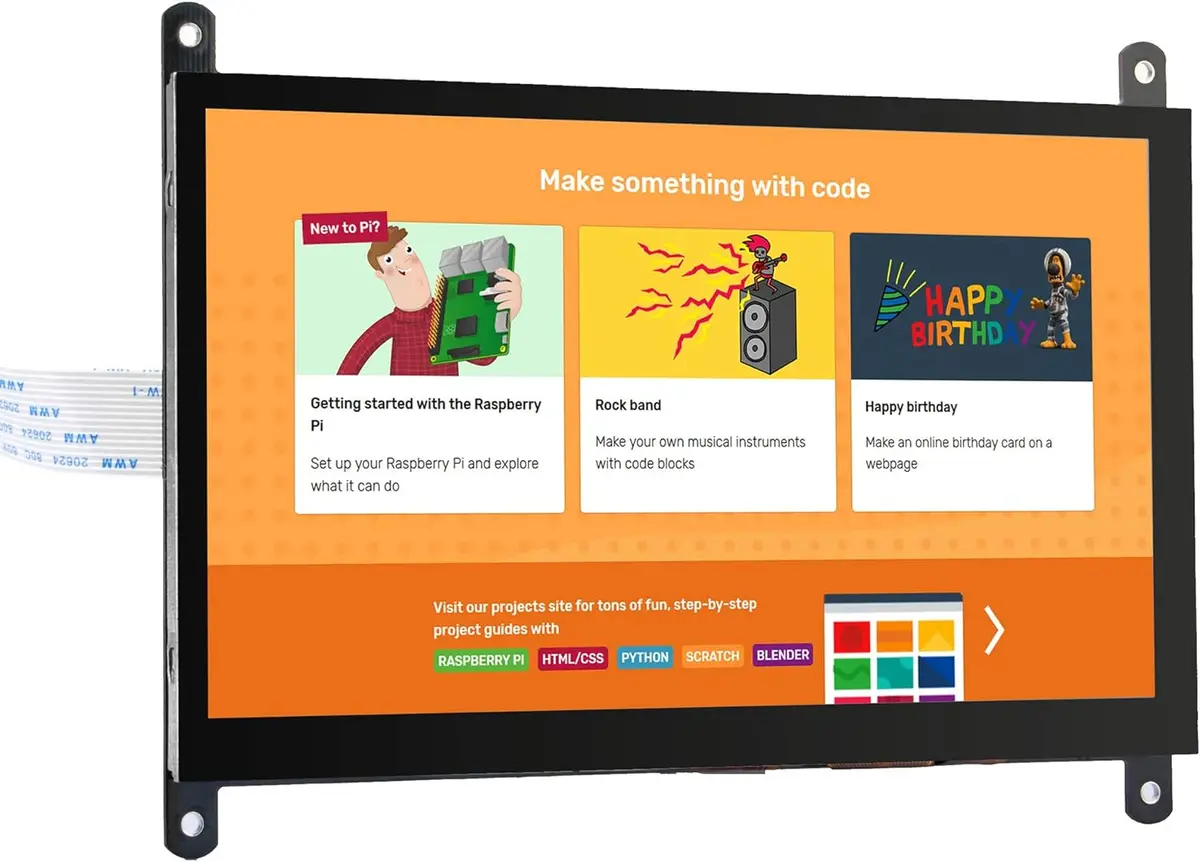
OSOYOO 7 インチ TFT タッチ スクリーン | DSI コネクタ | LCD ディスプレイ モニター | 800×480 解像度 | ラズベリーパイ 2 3 3B+ raspberry pi 4 用
- DSIコネクタ、自動設定によりドライバ不要。
- タッチスクリーン本体は、800×480の高解像度で、従来製品より高いタッチレスポンスにより快適な操作性能を実現。
- 高解像度と大型表示画面を備えた7インチディスプレイモニター。
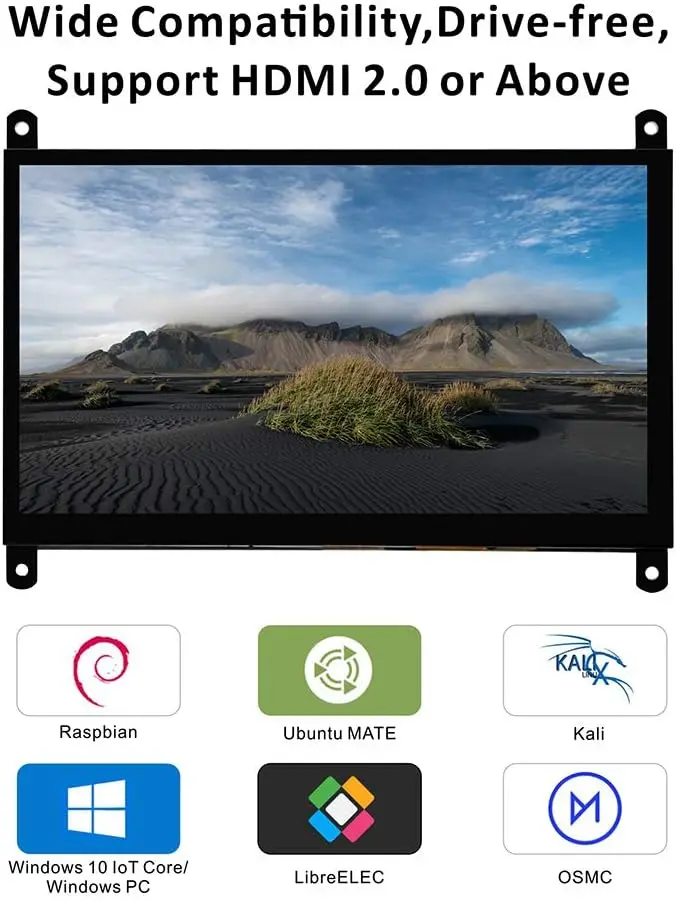
- フリーのドライバー形式を採用。Raspbian、Ubuntu MATE、Kali、RetroPie、OpenElec、OSMC、Archシステムなど。
- ラズベリーパイゼロ以外のすべてのラズベリーパイボードをサポートしています(Rapberry Pi 2/3/B+基板で使用の場合、DSIインタフェース接続だけで、GPIOは占用しません)ソフトキーボードのインストール方法: https://osoyoo.com/ja/2019/11/13/instruction-for-raspberry-pi-7-dsi-touch-screen/

body { font-family: Arial, sans-serif; margin: 20px; } table { border-collapse: collapse; width: 100%; border-top: 2px solid #333; border-bottom: 2px solid #333; } th, td { border: 1px solid #ccc; padding: 8px; text-align: left; } /* 加深横向边框 */ tr { border-bottom: 2px solid #666; } th { background-color: #f2f2f2; border-bottom: 3px solid #333; } table { border-collapse: collapse; width: 100%; } th, td { border: 1px solid #ccc; padding: 8px; } /* 加深横向边框 */ tr { border-bottom: 2px solid #333 !important; } .bg-light-grey { background-color: #e0e0e0 !important; } .bg-light-blue { background-color: #F0F8FF !important; } table { font-family: Arial, sans-serif; font-size: 9pt; } .custom-height { height: 45px; } /* 设置 B 到 N 列(第 2 到 14 个单元格)居中 */ tr td:nth-child(n+2):nth-child(-n+14), tr th:nth-child(n+2):nth-child(-n+14) { text-align: center; } /* 确保第一列保持左对齐 */ tr td:first-child, tr th:first-child { text-align: left; }
| PartNumber | Display | Touch | Audio | Device Support | |||||||||
|---|---|---|---|---|---|---|---|---|---|---|---|---|---|
| Resolu-tion | Display Port | Display Panel | View Angle | Touch Type | Touch Port | Toughened Glass Panel | Optical Bonding | Speaker | Signal Output | Pi | JETSON NANO | PC | |
| SPI DISPLAYS | |||||||||||||
| PROS: low price. | |||||||||||||
| CONS: low refresh rate & resolution, supports Raspberry Pi only, requires Raspberry Pi 40PIN GPIO (the SPI bus), poor compatibility with Raspberry Pi system. | |||||||||||||
| 3.5inch RPi SPI LCD | 480×320 | SPI | TFT | – | Resistive | SPI | √ | × | × | × | √ | × | × |
| HDMI / TYPE-C DISPLAYS | |||||||||||||
| PROS: high refresh rate, multiple resolution support, multiple devices support, better compatibility with Raspberry Pi system. | |||||||||||||
| CONS: somewhat costly. | |||||||||||||
| 3.5inch Resistive HDMI LCD | 480*320 | HDMI | TFT | – | Resistive | SPI | √ | × | × | × | √ | × | × |
| 3.5inch Resistive HDMI LCD with case | 480*320 | HDMI | TFT | – | Resistive | SPI | √ | × | × | × | √ | × | × |
| 3.5inch HDMI Capacitive LCD | 480*320 | HDMI | IPS | 120° | Capacitive | Type-C | √ | × | × | × | √ | √ | √ |
| DSI DISPLAYS | |||||||||||||
| PROS: moderate price, high refresh rate, leaves the Raspberry Pi 40PIN GPIO free, better compatibility with Raspberry Pi system. | |||||||||||||
| CONS: supports Raspberry Pi only. | |||||||||||||
| 3.5 inch DSI LCD | 800×480 | DSI | IPS | 170° | Capacitive | I2C | √ | × | × | × | √ | × | × |
| 4.3inch DSI LCD | 800×480 | DSI | IPS | 170° | Capacitive | I2C | √ | × | × | × | √ | × | × |
| 5inch DSI TN LCD | 800×480 | DSI | TFT | – | Capacitive | I2C | √ | × | × | × | √ | × | × |
| 5inch DSI IPS LCD | 800×480 | DSI | IPS | 170° | Capacitive | I2C | √ | × | × | × | √ | × | × |
| 5inch DSI IPS LCD with Case | 800×480 | DSI | IPS | 170° | Capacitive | I2C | √ | × | × | × | √ | × | × |
| 7inch DSI TN LCD | 800×480 | DSI | TFT | – | Capacitive | I2C | × | × | × | × | √ | × | × |
| 7inch DSI IPS LCD | 800×480 | DSI | IPS | 170° | Capacitive | I2C | √ | × | × | × | √ | × | × |
| 7inch DSI IPS LCD with Pistudio Case | 800×480 | DSI | IPS | 170° | Capacitive | I2C | √ | × | × | × | √ | × | × |
| 7inch DSI IPS LCD (H) with stand holder | 720×1280 | DSI | IPS | 170° | Capacitive | I2C | √ | × | × | × | √ | × | × |
| 10.1inch DSI IPS LCD (H) with stand holder | 800×1280 | DSI | IPS | 170° | Capacitive | I2C | √ | × | × | × | √ | × | × |
Explore more from our collection.
Reviews
There are no reviews yet.